A few years ago I started designing an app format around a simple idea. I wanted the app itself to be a SQLite file, with its code, assets and data together. Those files became .red apps, and Rednode became the runtime for them. We used the same format to package portable agent apps.
I carried that design into Cherry Pi, where it became the .pi app format. The file still holds the app. Now it can also give you a command in the shell and a pane of its own in the workspace. I’ll show how that works with a small Notes app you can build and run yourself.
Count the files
The workspace database holds the saved desktop, settings, trash and grants. Each layer has a database for its own history. Cherry Pi also keeps separate stores for machine identity, pairing and the administrator’s ledger.
Anatomy of a .pi app
A packed .pi app is a SQLite database. Its manifest declares what the app adds to Cherry Pi, such as a picache verb, a pane or a website at https://<id>.pi. The handler code, assets and app data live in the same file.
The folder
While you write an app it is a folder, and cherry π runs it in place, marked unsigned:
notes/
  manifest.lua        what the app is and asks for
  schema.sql          the tables it keeps
  handlers/main.lua   its code
  assets/             files it reads, and its site if it has one
The manifest is a Lua file that returns a table. cherry π evaluates it with an empty environment and rejects function definitions and calls to require.
return {
  schema = "cherrypi.app.v1",
  id = "notes",
  name = "Notes",
  version = "0.1.0",
  description = "short notes kept beside your work",
  capabilities = {
    "app.capability",  -- its verbs
    "appdata:own",     -- its own tables
  },
  storage = {
    tables = { { name = "notes", mirror = "sync", schema_version = 1 } },
  },
  contributions = {
    verbs = {
      { name = "add",  summary = "add a note: add <text>" },
    },
    panes = {
      { name = "board", title = "Notes" },
    },
  },
}
capabilities are requests, never holdings. storage.tables declares the tables the app may write, and mirror says whether a table stays on this machine (none), or follows the app to paired machines (pulse or sync). schema.sql makes those tables, and may only CREATE TABLE and CREATE INDEX:
CREATE TABLE notes (id INTEGER PRIMARY KEY, body TEXT NOT NULL);The handler requests a database write by returning an ask. cherry π checks the request and calls the handler again with the result.
local verbs = {}

function verbs.add(q)
  if not q.result then
    return { ask = { verb = "apps.db.exec", args = {
      sql = "INSERT INTO notes (body) VALUES (?)",
      params = { table.concat(q.args or {}, " ") } } } }
  end
  if not q.result.ok then return { text = "refused: " .. tostring(q.result.code) } end
  return { text = "noted" }
end

local function board(q)
  if not q.result then
    return { ask = { verb = "apps.db.query", args = {
      sql = "SELECT id, body FROM notes ORDER BY id DESC LIMIT 12"
    } } }
  end

  local rows = q.result.ok and q.result.data.rows or {}
  local components = {}
  local children = {}
  local function line(id, text)
    children[#children + 1] = id
    components[#components + 1] = { id = id, component = "Text", text = text }
  end
  if not q.result.ok then
    line("status", "Could not read notes: " .. tostring(q.result.code))
  elseif #rows == 0 then
    line("status", "No notes yet.")
  else
    for i, row in ipairs(rows) do
      line("note" .. i, row[1] .. ". " .. row[2])
    end
  end
  components[#components + 1] = { id = "root", component = "Column", children = children }
  return { title = "Notes", a2ui = {
    { version = "v0.9", updateComponents = { surfaceId = "notes", components = components } }
  } }
end

return { verbs = verbs, panes = { board = { render = board } } }
From a Cherry Pi terminal pane in the folder containing notes/, pack and install the app. Grant it permission to expose its verb and write to its own table.
picache app pack notes --out notes.pi
picache app install notes.pi
picache app grant notes app.capability
picache app grant notes appdata:own
picache notes add buy milk
The last command prints noted and stores buy milk in the installed app’s database.
In the Apps panel, select Notes and choose Open Notes. When Cherry Pi draws the pane, the handler asks the host to read the same table the shell command wrote to. Both contributions ship in notes.pi.
The file
A packed app has three parts. The publisher's part is signed and read-only: _manifest holds the manifest under the key manifest and the signature under signature, handlers holds each handler's Lua source by name, and _assets holds files by path. Any other table the publisher ships is signed too, unless the manifest declares it as the app's own. The app's own part is the tables storage.tables names. The runtime part is four tables cherry π keeps for revisions, the outbox, sync and conflicts.
For app data writes, Cherry Pi uses SQLite’s DELETE journal mode. The app has no WAL sidecar, though SQLite may create a temporary rollback journal during a write. It recognises an app by what is inside: the SQLite header, SQLite format 3, and a manifest whose schema is cherrypi.app.v1. A file with the right suffix and the wrong content is reported once and never mounted.
The signature
The digest is canonical, so the same rows always give the same bytes. cherry π lists the file's tables in name order, skips the app's own tables and the runtime's, and writes each row in rowid order with a type tag on every value: s: with its length for text and blobs, n: for numbers, N for null. The signature row is skipped, so signing does not change what was signed. The SHA-256 digest of those bytes is signed with the machine's Ed25519 key, and the signature row records the version, algorithm, digest, signature, the signer's public key, the time, and which tables were left out as the app's own.
The signed manifest declares which tables the app may write. Editing that declaration changes the digest, so an app cannot move a table out of the signed scope without invalidating the signature.
The signature identifies who shipped the rows, and grants nothing by itself. An app signed by this machine or one you have paired with installs without asking. Anything else, an unsigned folder included, asks you first and is marked wherever it is shown. Either way each capability is granted separately, and grants are bound to the app's digest, so a changed app is a new app to review.
When the runtime opens an app database for writing, it installs SQLite triggers that reject inserts, updates and deletes on signed tables. If an app’s own trigger attempts one of those writes as a side effect, RAISE(ABORT) rolls back the whole statement.
A call
Cherry Pi runs the app handler in a confined child process with its own state directory and a channel back to the host. The capabilities it was granted arrive in its environment at spawn, read once, and are checked there as well as by the parent. Inside, the handler has Lua's string, table, math and UTF-8 libraries and JSON, without io, os or load. Its restricted require can load sibling handlers shipped in the same app.
When it needs something done, it returns { ask = { verb, args }, cont }. cherry π does that verb only if the app declared its capability and you granted it, writes a receipt, and calls the handler again with { result = { ok, data, code }, cont }. A continuation starts from the state the call began with, so the handler carries what it needs in cont. A call gets at most sixteen asks.
Each host verb declares its effect. When Picache uses an app during a turn, a write such as apps.db.exec is logged on the turn's task once it is allowed and before it runs. If the machine stops halfway, the resumed turn sees the write was attempted and does not repeat it, and cherry π refuses to replace or remove an app with a write still in doubt until you settle it.
A write
An app writes its own tables through apps.db.exec, under appdata:own. The SQL gate in front of it allows exactly one statement, as SQLite itself reads it, and only INSERT, UPDATE, DELETE or REPLACE into a declared table: no DDL, no PRAGMA assignment, no second statement, and nothing SQLite would read as an empty statement. Reads are one SELECT or read-only WITH on a read-only connection, with no ATTACH. The gate reads SQL text, because the SQLite binding has no authorizer hook. Guard triggers also reject writes to signed tables.
SQLite triggers update _app_revs when a declared table changes. For a table configured to mirror, another trigger adds an entry to _app_outbox. The row, its revision and any outbox entry commit together.
Pages
An app can have a web side, and it lives in the same file. A manifest that says web = { root = "site" } makes the app's assets/site/ folder its site. Packing puts every one of those files into _assets as a row: the path as text, the bytes as a blob. HTML, CSS, JavaScript, fonts and images all go in as they are, signed with everything else.
Serving is off until you turn it on. picache app serve notes, which only you can run, grants the app domain.serve, records it with the machine's web server, and issues a certificate for notes.pi from a certificate authority this machine made for itself, limited by name to .pi. The address takes one more step, also yours and once per machine: cherrypi.ape names install sends every .pi name to 127.0.0.2 and has the system and its browsers trust that authority. After that https://notes.pi/ works in a browser that trusts the local certificate authority, with no port in the address. Until then the page opens in Cherrytop.
A request goes like this. The Host header names the app. The path must be plain segments, with no .., no dot-files and no empty segment, so nothing outside the site can be named, and / becomes the manifest's index page. The server opens the .pi read-only and runs one query, SELECT content FROM _assets WHERE path = ?. The bytes go back with a content type from the file's extension and strict headers: a Content Security Policy, nosniff, no referrer and no caching.
At notes.pi, the browser gets the stored asset bytes at the app’s own origin. If the app has no site, Cherry Pi serves a page with its name, description, version and signer.
Cherrytop, the web desktop, shows the same pages in windows and widgets, under /app/notes/. That path needs a copy adjusted for it: links that start at / are pointed into /app/notes/, and the HTML gets the small scripts that connect it to the desktop. There the page is sandboxed into an opaque origin by its CSP and its frame, so its scripts cannot call the desktop's APIs or reach the page around it. To read or write its own rows it asks over a message port Cherrytop gave its frame, and Cherrytop names the app by the frame it made, never by anything the message claims. The harness checks appdata:own, reads or writes by revision (a write against a stale revision is refused and handed the current one), and receipts the call. A canvas widget may call only the one read-only verb its manifest names.
Sync
An app can be shared with a paired machine that has the same app installed: you publish it, they ask, you approve. From then on each side sends the other its outbox from where _app_sync says that peer got to. What travels is a row's state, never SQL: the table, the row, its revision, the machine that wrote it, the revision that run of writes started from, and the values or a deletion.
The receiving machine applies a change when its own entry is still at that starting revision, so nothing happened there in between. When both machines wrote the row, the higher revision wins, and the machine's id breaks a tie, so every machine keeps the same winner without asking anyone. The losing version is kept in _app_conflicts and the Inbox tells you. A change from one peer is passed on to the app's other peers, never back to where it came from, and new rows from the app's pages take random ids, to make collisions unlikely. The SQL example above uses SQLite’s automatic IDs, so two peers inserting independently can choose the same ID. Sync handles that as a row conflict.
Upgrades
A new version of an app is a new signed file, so its data has to move. cherry π attaches the installed file beside the new one, carries the declared tables' rows across, and runs the app's migrations, each one tied to an exact table and an exact step from one schema version to the next. A migration may only INSERT, UPDATE, DELETE, REPLACE, ALTER TABLE or CREATE INDEX, and only on the app's own tables. If the carry or migration fails, Cherry Pi rolls back the candidate database transaction. The installed file is opened read-only.
Meta, the app for apps
The first app we built is a tool for apps. Meta lists the installed apps with their signatures and grants, shows one app's manifest, whether its signature verifies, what it adds and its tables, pages through rows, and runs read-only SQL in a prompt in a pane. It packs a folder into a signed .pi, asking you each time, since that signs with your machine's key. Meta is itself a .pi, built with the host it exercises, and it packs itself.
Agents travel the same way: picache agent pack makes an agent, its knowledge and its own test cases one signed file. The app guide has every manifest field and host verb.
Before .pi
Two of the apps I built for Rednode took the single-file idea further in different ways. HAL needed to carry the software that let it speak and listen. Editor.red needed to make a whole development workspace available from one app bundle.
HAL.red
A Rednode app’s manifest described the app and the capabilities it requested. The SQLite bundle could also carry scripts, executables and dependencies in an extract_files table. Each row stored the file’s path and contents along with its type and whether it was executable. Rednode could extract those files to disk when the app needed them.
HAL used that table to carry Piper for speech synthesis, whisper.cpp for transcription, their native libraries and the voice and model files they needed. HAL’s Lua handlers went through Rednode’s local speech capability to use that payload. Its language reasoning still ran through Rednode’s agent service.
Editor.red
Editor.red was a development environment built around Monaco. It could open working files from repositories and sites and browse the contents of mounted .red apps. The editor itself shipped as a .red bundle, so I could use an app built on the format to look inside other apps built on it.
A layer is a SQLite file
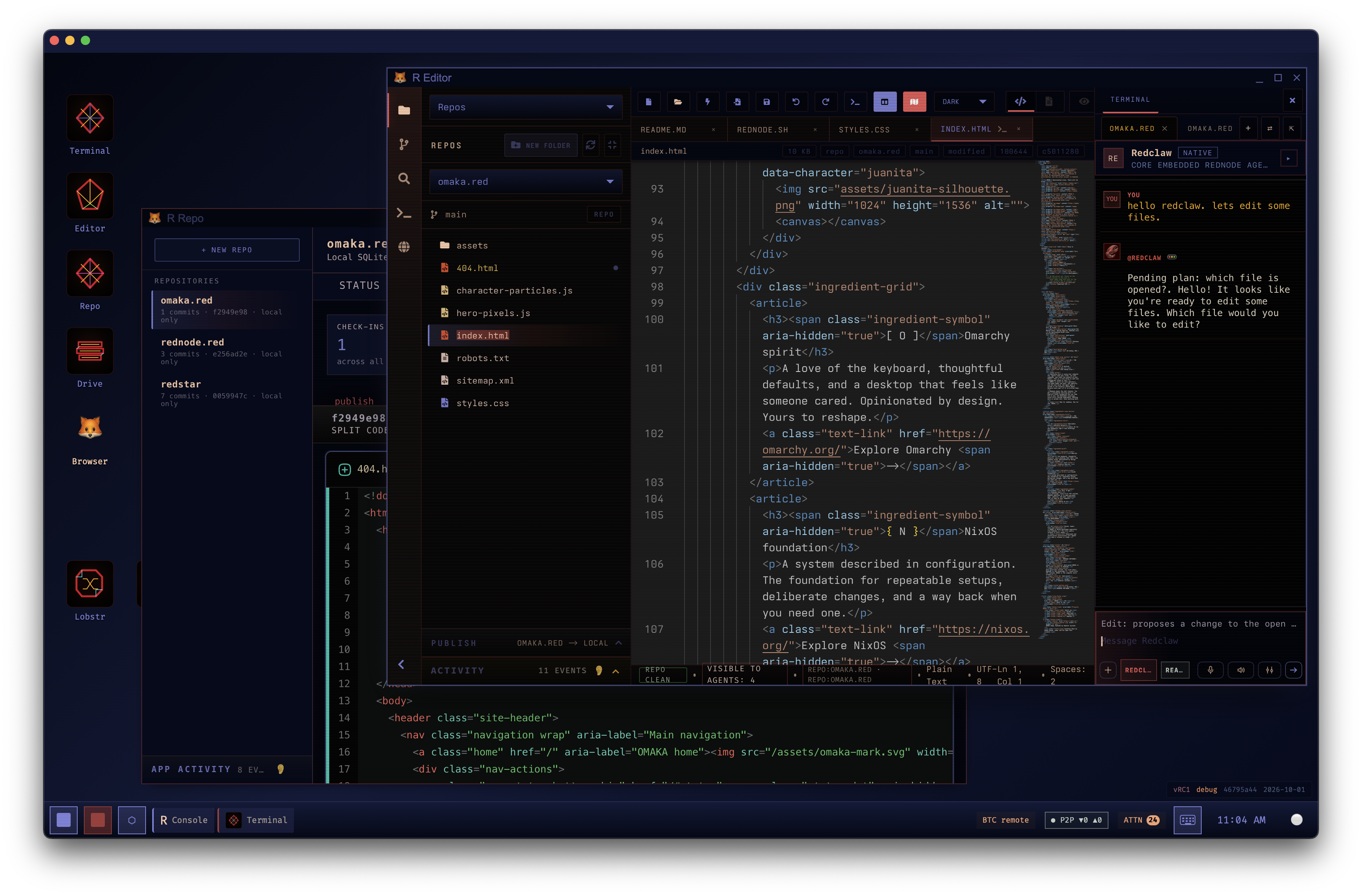
A cherry π workspace is a desk of layers, each a set of panes over a folder. In October we gave every layer its own database so that a layer can be moved whole. Its database holds its conversations and messages, its runs and their output, the receipts of what was done in it, its agent's knowledge, and a hash chain of what happened there. The workspace keeps a chain of its own, which anchors each layer's latest entry.
picache layer export L1 --out api-layer.db
picache layer import api-layer.db
picache layer import api-layer.db --as reference
An export is one signed SQLite file. It carries a consistent snapshot of the layer's database, taken with VACUUM INTO, and the layer's folder as chunks keyed by their SHA-256, so a chunk two files share is stored once. Before the snapshot, the layer's chain records the export, so what left is on the record. Imported as a working layer, it comes back with its folder. Imported as a reference, it is read-only knowledge another agent can consult.
Grants never travel. A layer's history can move to another machine; the authority it had on the first one stays with the workspace that gave it.
Search, kept in step
Suppose you remember a test failure by the phrase database is locked, but can’t remember which layer you were in. The words might be in a conversation where you discussed the failure, or in output from the terminal where it happened. Workspace search looks across the workspace database and its layer stores, so you can start with the words you remember.
Each store has its own SQLite FTS5 indexes for conversations, messages, receipts and terminal records. Search uses the index to find candidate matches, then joins those matches back to the source tables to identify the record and build the result. A short excerpt helps you see why it matched.
SQLite triggers keep the index current. When a message changes, for example, the same transaction updates the message row and replaces its index entry. If the transaction rolls back, both changes roll back. Cherry Pi can rebuild the index from the records when it needs to, so the index doesn’t become a second copy of the workspace’s history that has to be maintained on its own.
Project files follow a different clock. A scan builds a separate catalog for the folders you can search, and an unchanged file keeps its existing index entry. The scanner can include a file’s name and path even when it skips the contents, such as for a binary or oversized file. A change made outside Cherry Pi shows up in file search once a scan picks it up.
Thank you, SQLite
We have built on SQLite for years. Thank you to the people who make it.
cherry π is still a prototype. If you build on SQLite too, or want to try a workspace made of files you can hold, join the early-access list.
Further reading
- SQLite as an application file format explains the case for keeping application data in a database file.
- Atomic commit in SQLite explains how a transaction commits as a unit.
- VACUUM INTO documents the snapshot command used in layer exports.
- SQLite FTS5 covers full-text queries, external content tables and excerpts.
- 35% Faster Than the Filesystem describes SQLite’s small-blob benchmark and how it was measured.
For the recent discussion about SQLite and experimental operating systems, see LaurieWired’s post on X.